SSH Configuration
If you have not already, you should set up your SSH configuration by following the steps shown here.
VSCode Setup
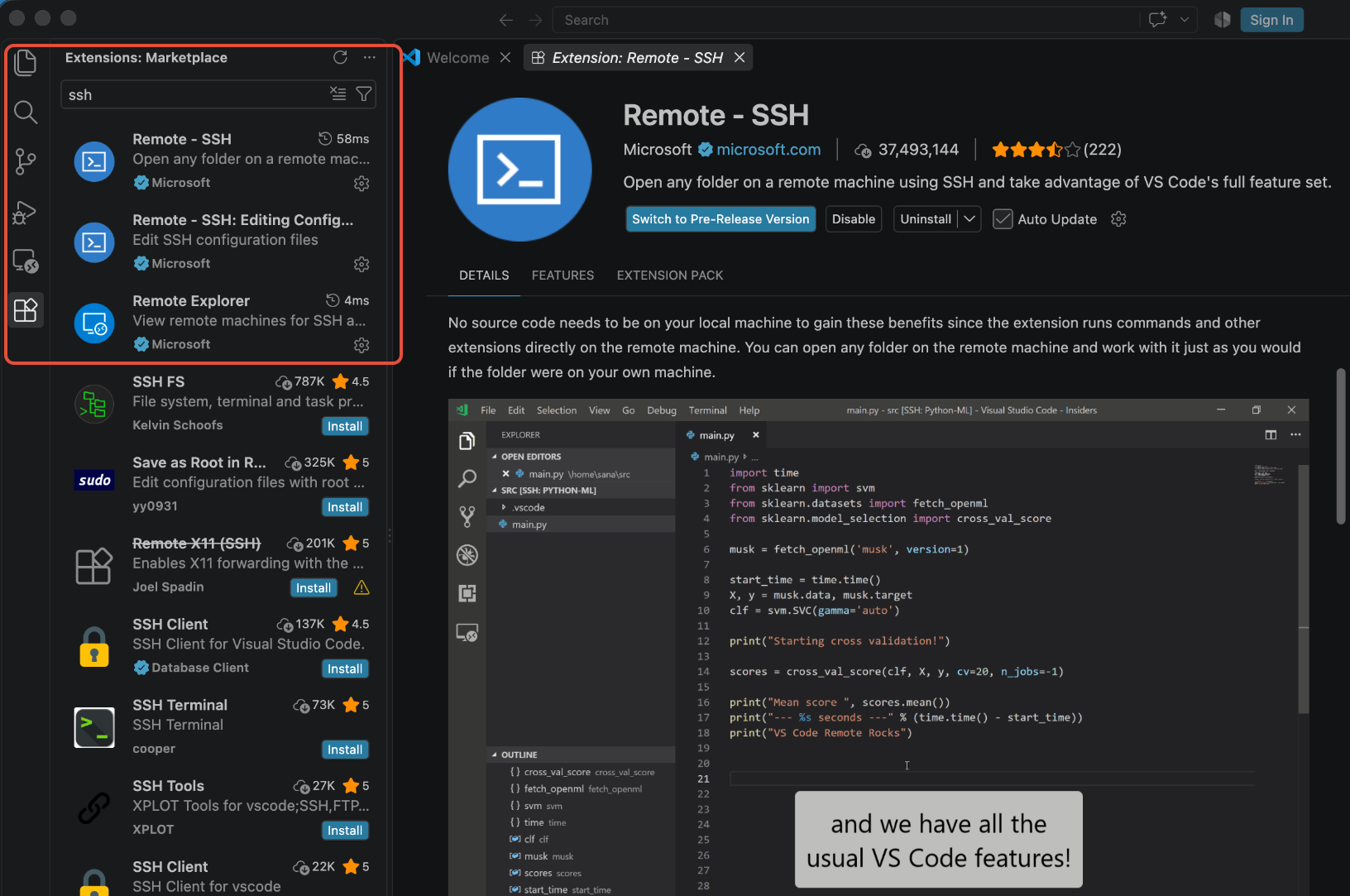
Inside VSCode, open the Extensions tab on the left sidebar and enter "ssh" in the search bar. Make sure that you have the "Remote - SSH" and "Remote Explorer" extensions installed:
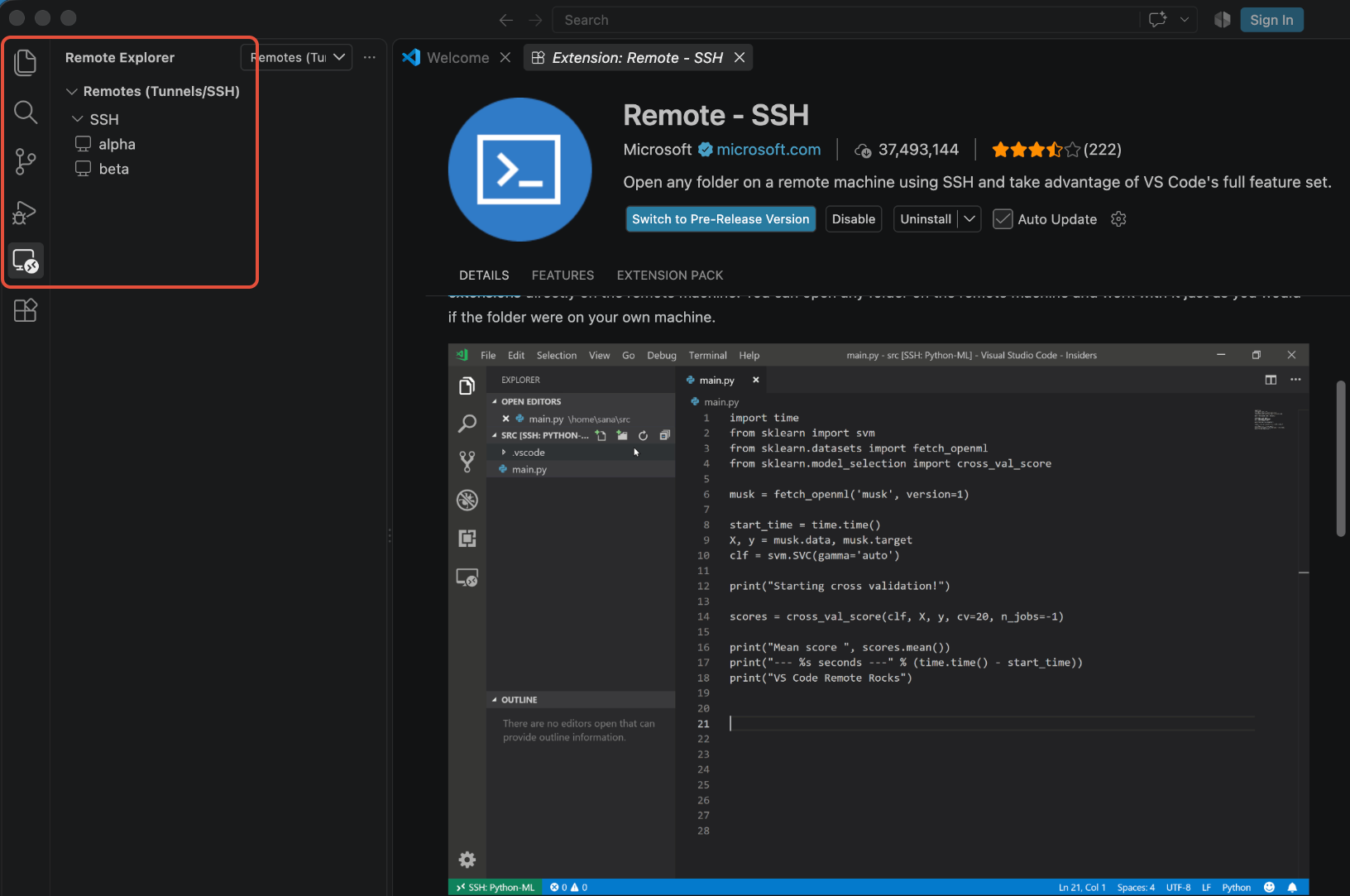
Next, open the Remote Explorer tab on the left sidebar. If you've already set up your SSH configuration, then you should see entries for alpha and beta under the options.
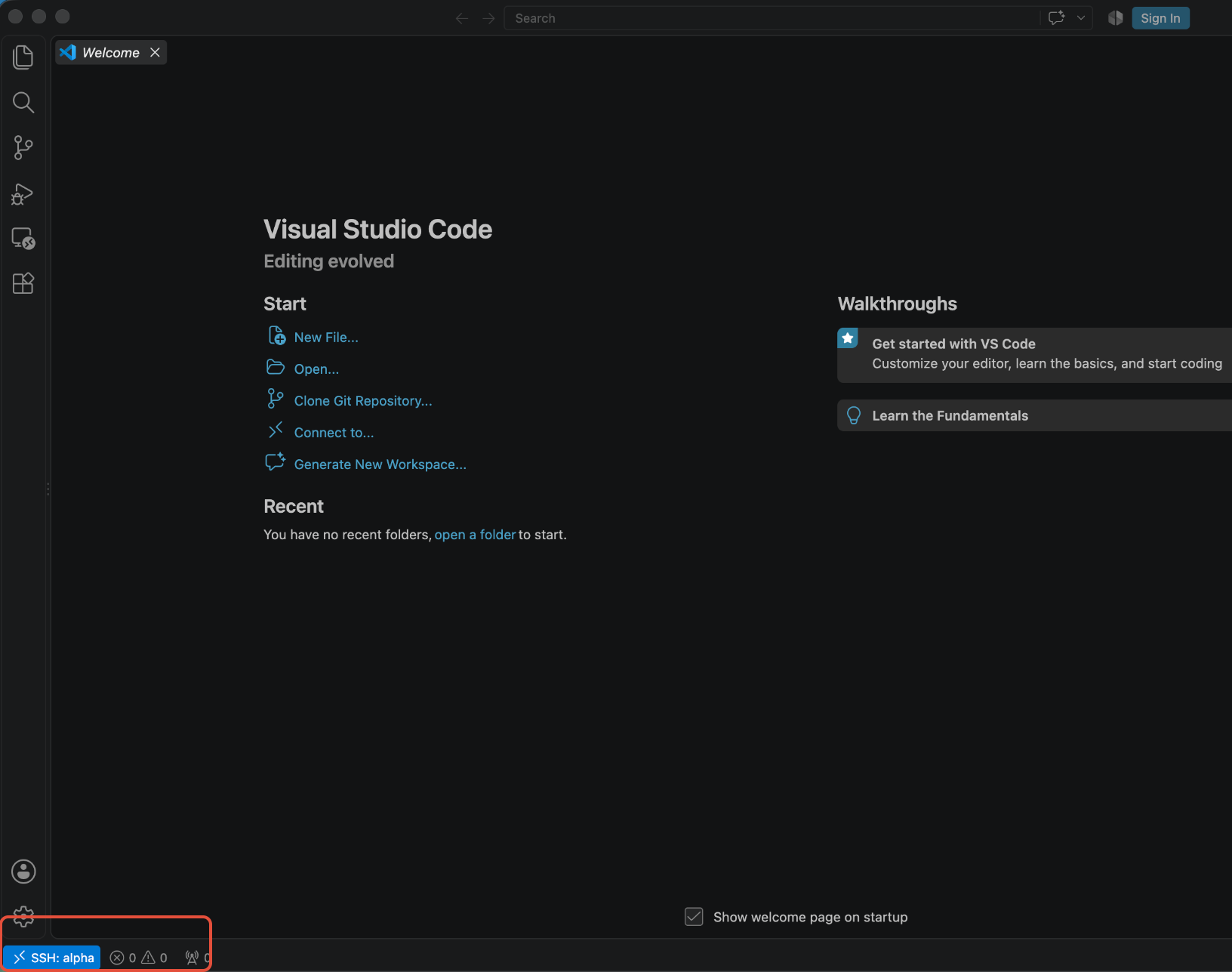
Click on the system that you would like to connect to. Depending on whether you have set up your SSH key or not, you will either be asked for your password+2FA code or your SSH passphrase. Enter these and you will be connected to a remote session on the system. You can verify this by looking in the bottom left corner of the window.
Was this article helpful?
That’s Great!
Thank you for your feedback
Sorry! We couldn't be helpful
Thank you for your feedback
Feedback sent
We appreciate your effort and will try to fix the article